Skip to content
Square users · Business + Pro plans

Already on Square?

Add online bookings without leaving your stack.

Every new tool means a new login, another customer database, another silo that doesn't talk to your POS. TableNest connects to Square via OAuth in three clicks — your customers, bookings, and payments stay in one ecosystem.

Register interest

Full access at launch. No contracts. We'll email you the moment we're live.

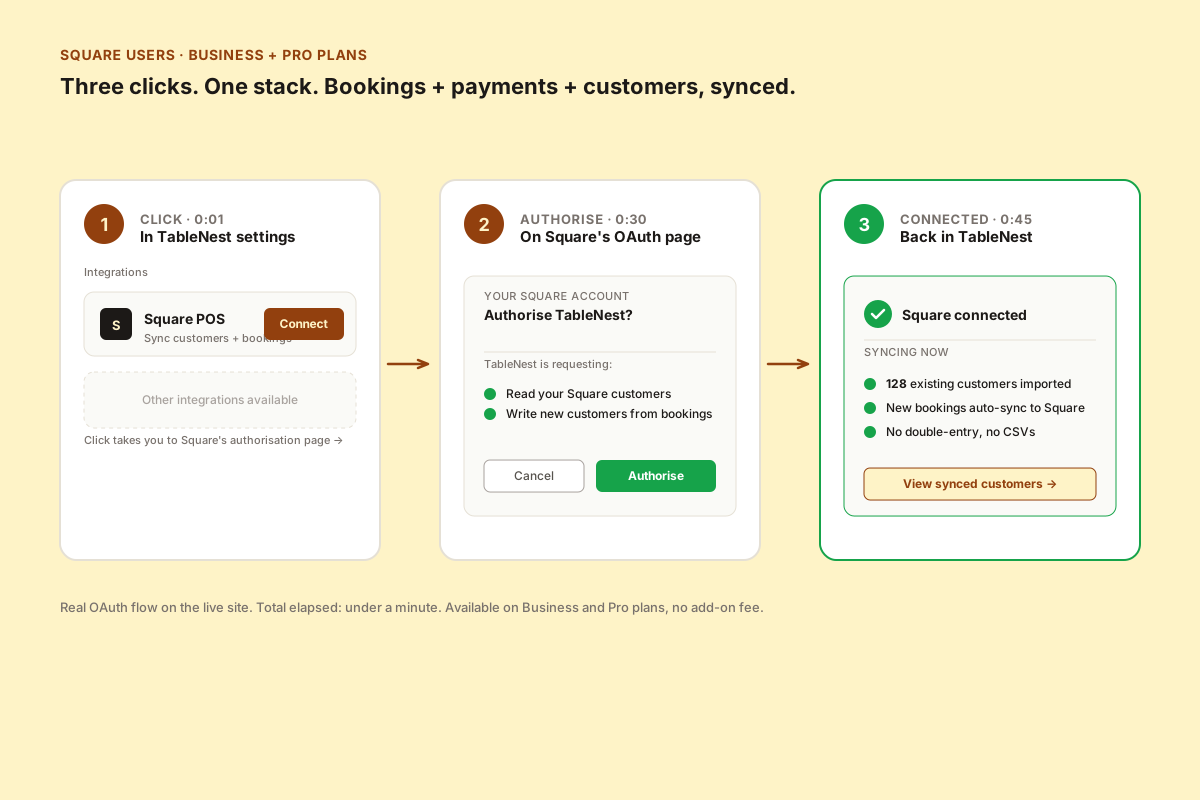
A three-step diagram showing Square integration setup — clicking Connect in TableNest settings, authorising on Square's OAuth page, and arriving at a connected success state showing 128 existing customers imported and new bookings auto-syncing.
Three clicks. Under a minute. Real OAuth, no CSV imports.

One customer database

Square customers and TableNest customers are the same record, with the same identity, accessible from both apps.

  • Existing Square customers imported on connect
  • New TableNest bookings create or update Square customers
  • Visit history, contact details, and notes stay in sync
  • No duplicate records, no CSV reconciliation

No double-entry

A booking made on TableNest writes the customer to Square automatically. A walk-in logged in Square is visible in TableNest.

  • Bookings auto-sync to Square — no manual import
  • Customer updates in either app propagate
  • Bidirectional, real-time, no scheduled job to wait on
  • Conflict resolution favours the most recent edit

Same ecosystem, end to end

Bookings, payments, and customer history live in the stack you already trust. No vendor sprawl.

  • Bookings flow into your existing Square reporting
  • Customer LTV calculated across bookings + spend
  • Loyalty programs visible from the booking record
  • Front-of-house already knows the dashboard

Business + Pro plans, no add-on cost

Square integration is bundled into Business ($34) and Pro ($49) — no $20–70/mo integration surcharge.

  • Included in Business + Pro tiers
  • All sync features unlocked from day one
  • No per-customer or per-sync metering
  • Disconnect anytime — your data stays in TableNest

Connect Square in three clicks

  1. 1. Click Connect — in TableNest, open Settings → Integrations, and click Connect next to Square POS.
  2. 2. Authorise on Square — Square's standard OAuth dialog appears. TableNest asks for read access to your customers and write access for new bookings. Click Authorise.
  3. 3. Done— you're back in TableNest with your customer list importing. Existing customers come across, new bookings sync forward from the moment you connect.

The integration uses Square's standard OAuth and the official Customers API. We don't store your Square credentials.

Bookings + Square. One stack.

We're launching in your region soon — register your interest to get early access.

Register interest

Full access at launch. No contracts. We'll email you the moment we're live.

Register interest