Skip to content
Live by smoko

Embed your booking widget in 5 minutes.

No developer.

Last booking system sold you a "free setup call" that turned into three weeks of email tag and a bill for "configuration." TableNest is venue, hours, tables, snippet copied — five minutes, one coffee, no card. Add a card and the widget it loads goes live on your site.

Start 30-day free trial →

No card required. Free for 30 days. Cancel anytime.

tablenest.app
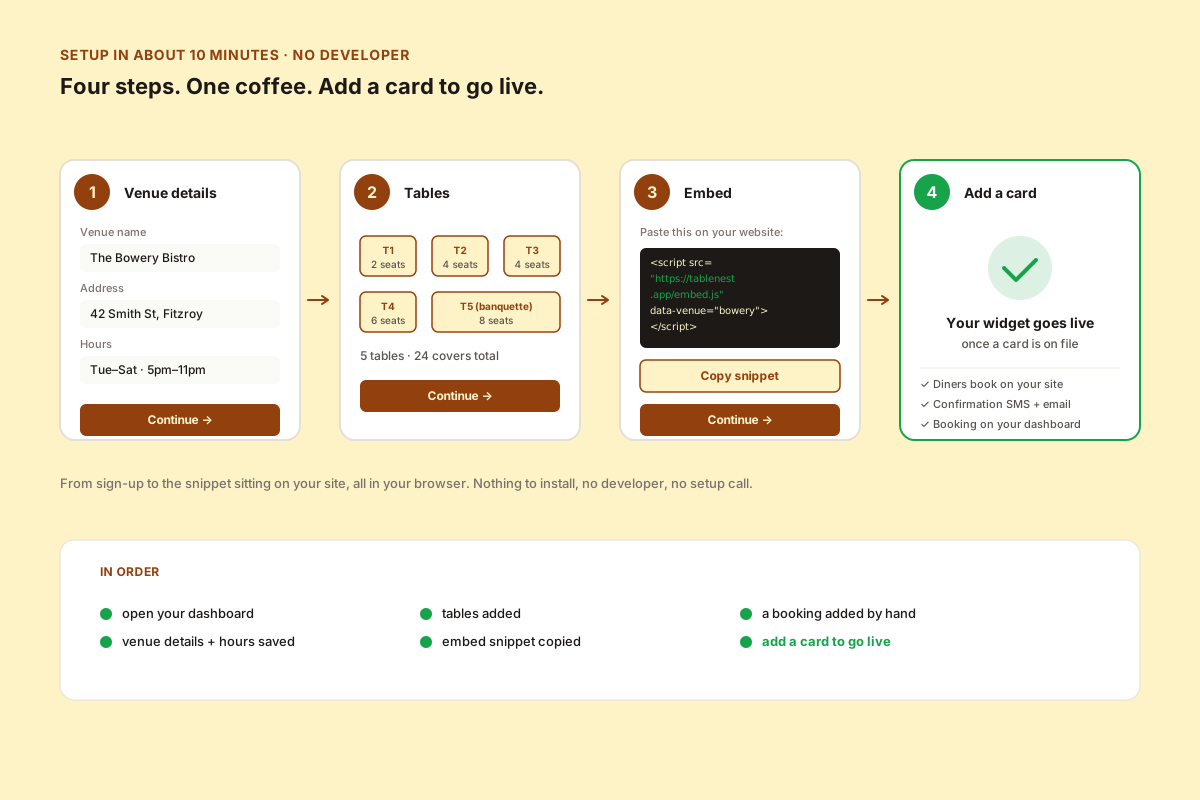
A four-step setup wizard: venue details, table layout, the embed snippet, and a fourth step where you add a card — the step that switches the public booking widget, and the diner SMS and email, on. A real-clock timeline runs alongside it, the first three steps landing under five minutes.
Real clock — from sign-up to the snippet sitting on your site. No install, no developer, no setup call.

Step 1 — five minutes, no card

The wizard, end to end

Open your dashboard, enter your venue details, lay out your tables, copy the embed snippet, and add a booking by hand to watch it land on the run sheet. Each step has a save button and you can come back to any of it. All of that is card-free, and most venues are through it in under five minutes.

  • Venue details — name, address, opening hours
  • Tables — capacity per table, total covers
  • Embed snippet — copy-paste, no developer required
  • A booking by hand — on your run sheet before your coffee’s gone cold

Step 2 — add a card, go live

What a card switches on

The snippet you pasted shows the public nothing until a card is on file — that is the gate, not a fault. Add a card and the widget it loads goes live: diners book on your own site, their confirmation goes out by SMS and email, and the booking lands on your dashboard. By Friday night, your first run sheet is in your team's inbox.

  • Add a card — the widget on your site starts taking real bookings
  • Diner books online — their confirmation SMS and email go out to them
  • Booking lands on your dashboard, run sheet ready for the pass
  • First real diner walks in knowing exactly what time their table is

The embed snippet

What you paste on your website. The data-venue value is generated for you — copy it from your dashboard.

<script
  src="https://tablenest.app/embed.js"
  data-venue="your-venue-id"
  async
></script>
<div id="tablenest-widget"></div>

That's the whole installation. Drop it in your site's footer or a dedicated “Book Now” page. Works on Squarespace, Wix, WordPress, Webflow, plain HTML — anywhere a script tag runs.

Live by smoko.

Five minutes from now you're set up. Add a card and your widget goes live.

Start 30-day free trial →

No card required. Free for 30 days. Cancel anytime.

Start 30-day free trial